Fixing a chronically unstable heavy Visualforce page
One page in a large, long-running Salesforce org had become the most-reported source of support tickets: a heavy Visualforce page pulling together data from several high-volume objects, failing in a different way almost every week — a blank save, a silent timeout, a view-state error that only showed up for certain records.
The failures were real, but reproducing them wasn’t. The dev sandbox engineers worked in didn’t have anything close to the data shape the page needed to fail the way it failed in production — which meant most tickets stalled at “cannot reproduce” long before anyone got to a root cause.
The approach
Rather than trying to operationalize the whole sandbox for this one page, we built a narrow, purpose-built tool: a two-click export and import keyed by a single record identifier. One click pulls every record the page actually touches for a given case out of production. One click loads that same data into a dev sandbox, correctly connected — including the production-to-sandbox ID mapping and two-pass loading for self-referencing objects described in our article on partial-copy sandbox pipelines, scoped down to just the records one page needs rather than a whole org.
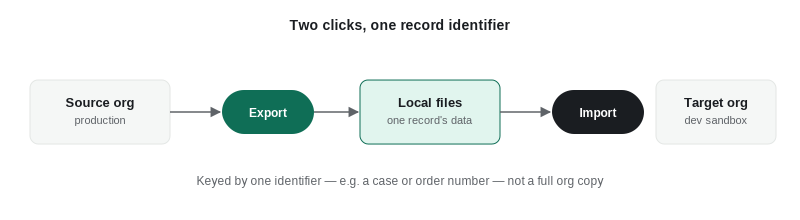
That scoping is the whole point. A general-purpose sandbox pipeline would have taken longer to build and would still have pulled in far more data than this one page needed. A tool built around exactly what one heavy page touches turned “get me a sandbox with the right data” into something any engineer could run themselves, in minutes, for any case that came in.
What it changed
Once engineers could reliably get the right data into a sandbox in under half an hour, reproducing a reported failure took about the same again. That turned a backlog of “cannot reproduce” tickets into a steady stream of real root causes — almost all of them tracing back to the same family of problems: view state size, form data size, and continuation-call view state, all driven by the same handful of high-volume objects the page rendered. Once those were addressed, the page stopped being a daily source of new tickets.
If a page in your org has a similar reputation, it’s worth talking about. Let’s discuss your setup.
Outcomes
- Data ready for a newly reported issue: under 30 minutes
- Reproducing the reported error, once data was loaded: under 30 minutes
- Root causes resolved: view state size, form data size, and continuation-call view state, all tied to multiple high-volume objects rendered on the page
- Tickets resolved with no recurrence: 1-2 per day